Your starting point
Open it and know what needs attention
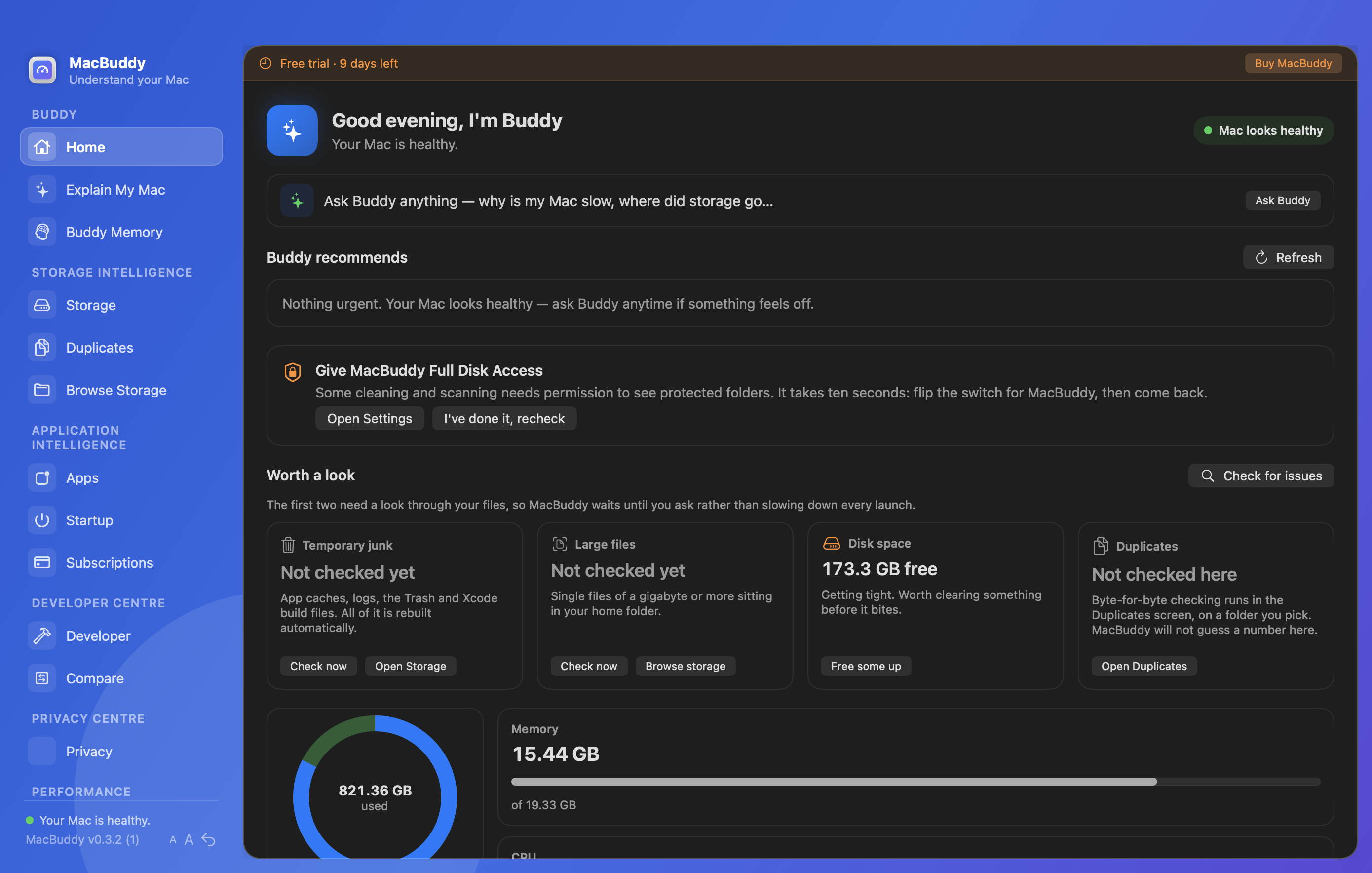
Home brings recommendations, storage, memory, CPU and battery together. Winston tells you what is worth doing now.
Winston
The companion that explains what needs attention, why it matters, and what to do next, without a technical manual.
Everything unlocked, no credit card, nothing cleaned without your approval. Notarized by Apple. Current download: Winston 0.4.0.
Launch offer
No yearly renewal and no growing maintenance bill. Buy Winston once and keep using this version.
Introductory launch price. Your licence key is emailed to your PayPal address after checkout.
Paste the key in Winston to unlock. Discount codes work in checkout. Notarized by Apple. macOS 14 or newer.
Trouble with the button? Open PayPal checkout directly
$17.99 USD · once · Secure checkout via PayPal. Fuzzelogic Solutions Limited, Isle of Man.
Built for how you actually use a Mac
Winston is one app with clear answers for the people who hit these problems hardest.
Cursor, local models, Docker and half-finished experiments quietly eat the disk while you stay in flow.
See how Winston helps →Long agent runs need a Mac that stays awake, stays cool enough, and has room for tools and models.
See how Winston helps →Xcode DerivedData, Homebrew, npm caches and leftover apps. Reclaim space without guessing.
See how Winston helps →When Activity Monitor shows numbers and you still do not know what to do next.
Find the cause →See where the gigabytes went and remove only what is safe, with an explanation first.
Free up space →Explain My Mac, safe cleanup, complete app removal and one-time licensing. No subscription tax.
See what it does →Your Mac tells you almost nothing
Activity Monitor, Storage Settings and Finder show numbers. They rarely explain what changed, what is safe to remove, or whether you should be concerned.
Several apps, background jobs and low free space can collide at once. Restarting may hide the symptom without finding the cause.
Developer tools, downloads, mail, app caches and local AI models can quietly consume tens of gigabytes.
Support files, caches and preferences remain scattered across your Library, sometimes using more space than the app itself.
“8GB of caches” is not enough information. You deserve to know what created them, whether they matter and what happens after removal.
You should not need an ongoing subscription just to understand and maintain the Mac you already own.
Built for how people work now
Your Mac runs longer jobs and heavier tools. Winston explains what needs attention and what is safe to do next.
Why Winston ›See Winston in action
Every area starts with an explanation and leads to a safe next step.
Your starting point
Home brings recommendations, storage, memory, CPU and battery together. Winston tells you what is worth doing now.
Get your storage back
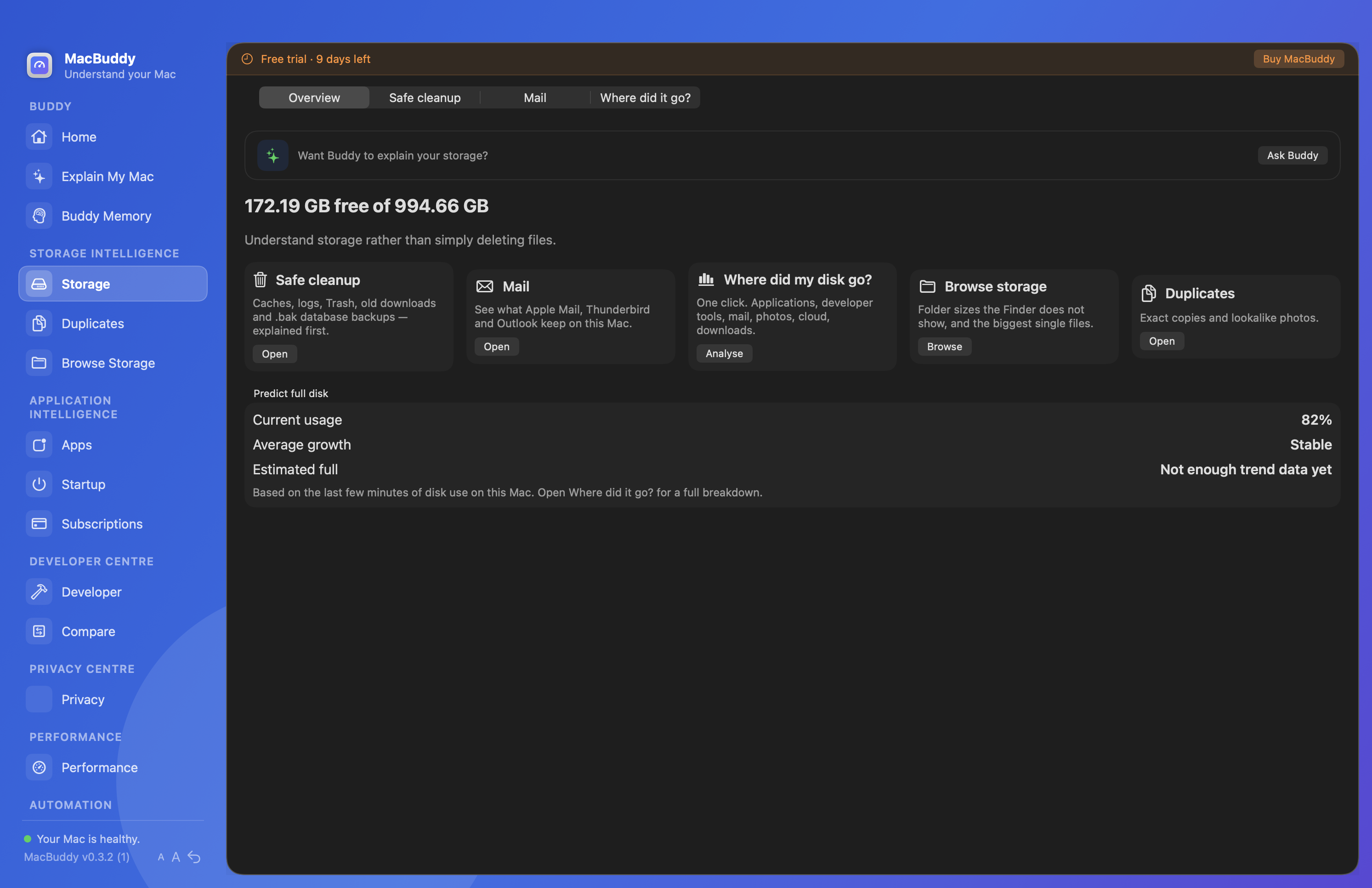
Safe cleanup, Mail, disk growth, folders and duplicates in one view, with an explanation of what can be recovered.
Stop guessing
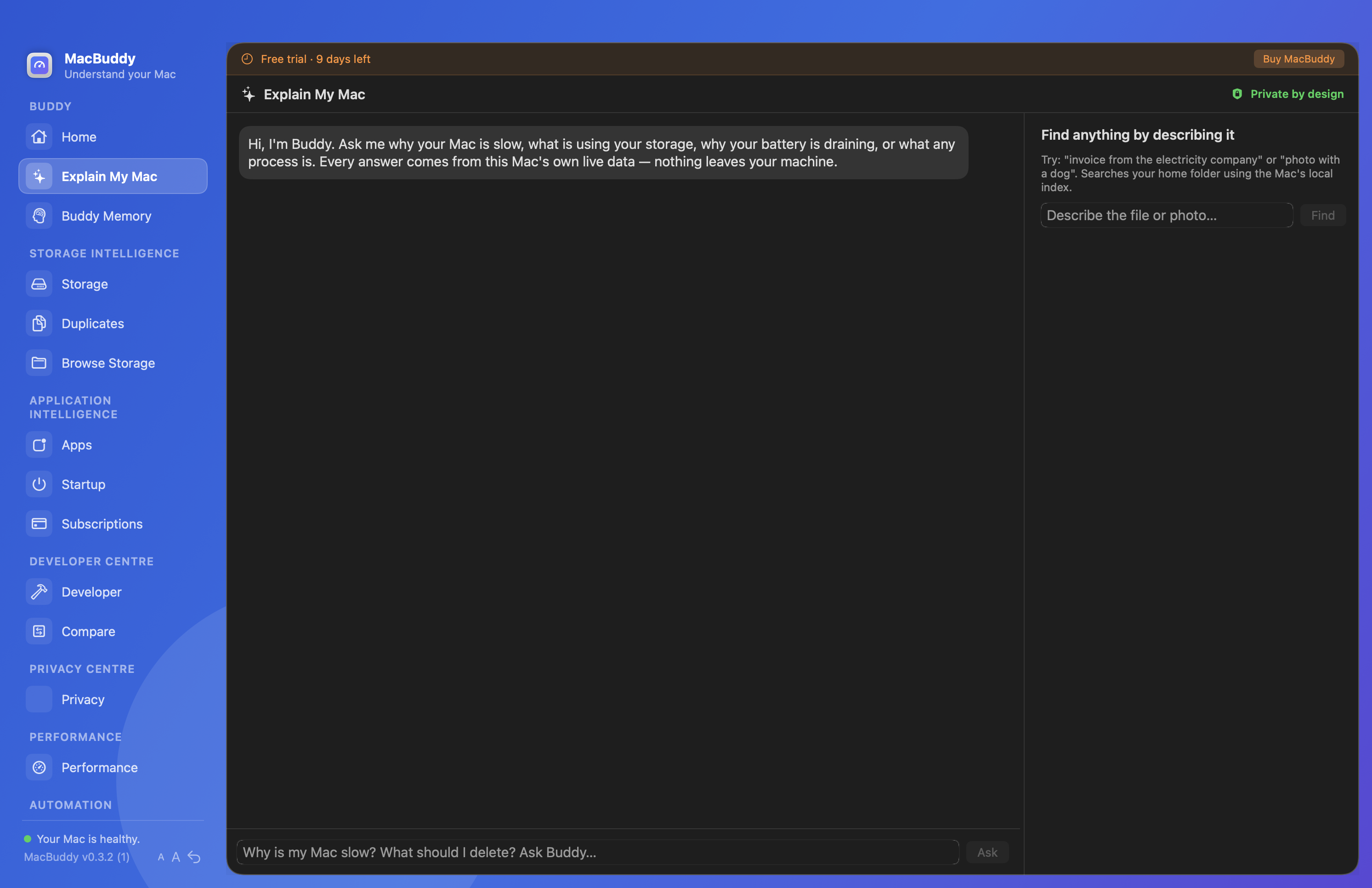
Ask why it is slow, why the battery is draining or where storage went. Answers come from live local information.
One app. The important jobs covered.
Use only what you need. Every area follows the same explain-first approach.
Duplicates, oversized folders, old Downloads and Mail attachments without searching by hand.
Find the support files ordinary deletion leaves behind in your Library.
Inspect Docker, Xcode, Homebrew, package caches, Ollama and LM Studio from one place.
Prevent idle sleep during agent runs, builds and downloads, from the menu bar when you need it.
See which apps launch automatically and remove the ones you no longer need.
Schedules for repeatable housekeeping. Check or run each routine whenever you choose.
Your Mac should not require a technical manual.
Winston turns system data into four useful answers: what is happening, why it is happening, what you should do, and whether Winston can do it for you.